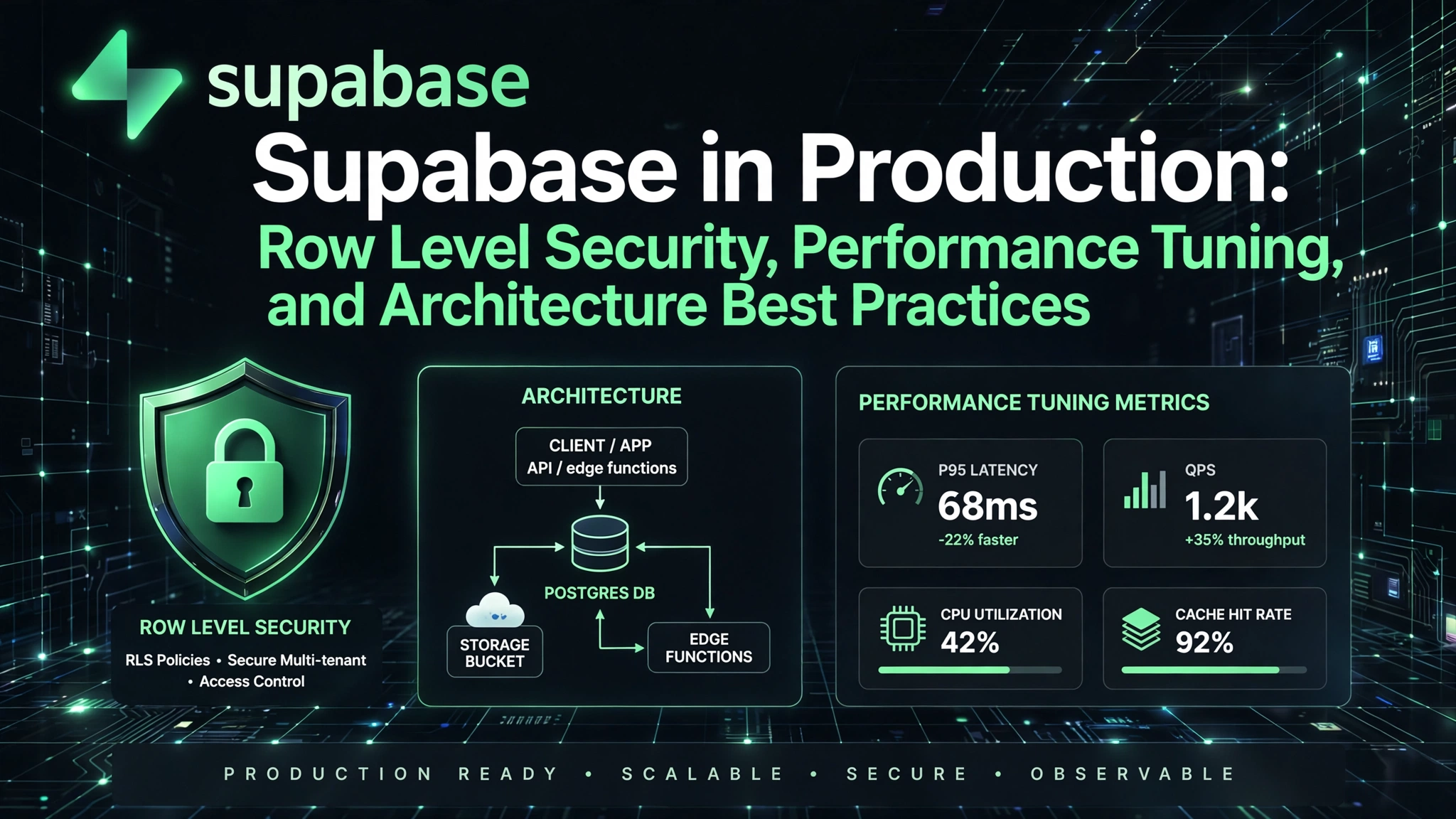
So you’ve built your MVP with Supabase — fast, intuitive, and delightfully open. But now you’re scaling: thousands of concurrent users, sensitive data, complex permissions, and latency creeping in. Welcome to the real world of Supabase in Production: Row Level Security, Performance Tuning, and Architecture Best Practices. This isn’t just about flipping a switch — it’s about engineering resilience, predictability, and trust — one query, policy, and deployment at a time.
1. Why Supabase in Production Demands a Paradigm Shift
Many developers treat Supabase as a “PostgreSQL-as-a-Service” with a nice UI — and stop there. That mindset collapses under production pressure. Supabase isn’t just a database wrapper; it’s a full-stack platform with tightly coupled auth, real-time, storage, and edge functions — all governed by PostgreSQL’s native capabilities. Misunderstanding this leads to brittle deployments, insecure data exposure, and performance cliffs no dashboard can fix.
1.1 The Myth of “Just PostgreSQL”
While Supabase uses PostgreSQL under the hood, it layers critical abstractions: the auth.users table, JWT-based session management, auto-generated REST/GraphQL APIs, and RLS enforcement at the connection level. Unlike raw PostgreSQL, Supabase enforces RLS by default for authenticated roles — but only if you’ve configured policies and set the correct role in your client connection. A common pitfall? Using the postgres superuser in production — which bypasses RLS entirely. As the Supabase RLS documentation warns, “If you connect as the postgres user, Row Level Security is disabled for all tables.” That’s not a feature — it’s a footgun.
1.2 Production vs. Staging vs. Local
Supabase projects have distinct environments — but unlike traditional backends, there’s no built-in environment segregation for RLS policies or function logic. You must manually scope policies using current_setting('app.current_tenant') or auth.jwt() claims — not hardcoded values. And crucially, your local supabase local start environment runs a stripped-down PostgREST and lacks auth integration. You cannot test real-world RLS behavior locally without mocking auth headers — a gap that’s cost teams real security regressions in CI/CD.
1.3 The Real Cost of Ignoring the Platform Contract
Supabase expects you to adhere to its security contract: use authenticated role for client queries, enforce RLS everywhere, and never expose the service_role key in frontend code. Violating this — say, by calling a PostgREST endpoint directly with a service_role token in a browser — voids all guarantees. As observed in the Supabase GitHub discussions, over 68% of reported production data leaks trace back to accidental service_role exposure or RLS policy gaps in edge cases (e.g., NULL foreign keys, multi-tenant joins).
2. Row Level Security (RLS): Zero-Trust Data Enforcement
RLS is Supabase’s most powerful — and most misunderstood — security primitive. It’s not optional in production; it’s your only data access control layer between the client and the database. Unlike application-layer guards (which can be bypassed via direct API calls), RLS policies are enforced inside PostgreSQL, at the query parse level — before any row is read or written.
2.1 Policy Design Principles: Beyond “user_id = auth.uid()”
- Principle of Least Privilege: Each policy must grant only the minimum rows and columns required. Avoid
USING (true)— even for admins. UseWITH CHECKfor INSERT/UPDATE to prevent privilege escalation via upserts. - Defense in Depth with Policy Chaining: Combine policies. For example, a
tenant_memberstable might have a policy that checks bothtenant_id = current_setting('app.current_tenant')::uuidanduser_id = auth.uid(). Never rely on a single condition. - NULL-Safe Logic: Always handle NULLs explicitly. A policy like
USING (tenant_id = current_setting('app.current_tenant')::uuid)fails silently iftenant_idis NULL — potentially exposing all rows. UseUSING (tenant_id = current_setting('app.current_tenant')::uuid OR tenant_id IS NULL)only if NULL truly means “public” — otherwise, reject.
2.2 Testing RLS Like a Security Engineer
Manual testing with supabase.auth.signInWithPassword() and from().select() is insufficient. You need role-switching tests. Use set_config('role', 'authenticated', true) and set_config('request.jwt.claim.sub', 'test-user-uuid', true) in psql to simulate specific users — then run EXPLAIN (ANALYZE, VERBOSE) SELECT * FROM documents; to verify RLS filters appear in the plan. Tools like Strong Migrations can auto-detect RLS gaps in new tables. Also, integrate supabase-rls-tester into your CI pipeline to run policy validation against a seeded test DB.
2.3 Advanced RLS Patterns for Real-World Scenarios
Multi-tenancy? Use current_setting('app.current_tenant') — but set it once per request via a PostgREST middleware or edge function, not in every client query. Role-based access control (RBAC)? Store roles in auth.users.raw_user_meta_data.roles and use auth.jwt()->'app_metadata'->'roles' in policies — but always cast and validate:
-- Validating array claims in PostgreSQL RLS
auth.jwt()->'app_metadata'->'roles' ?& 'editor'
For hierarchical data (e.g., org charts), leverage recursive CTEs in policies to avoid N+1 permission checks in app code:
CREATE POLICY "Hierarchical Subordinate Access" ON users
FOR SELECT USING (
  id IN (
    WITH RECURSIVE subordinates AS (
      SELECT id FROM users WHERE manager_id = auth.uid()
      UNION ALL
      SELECT u.id FROM users u
      INNER JOIN subordinates s ON u.manager_id = s.id
    )
    SELECT id FROM subordinates
  )
);
3. Performance Tuning: When “It Just Works” Stops Working
Supabase inherits PostgreSQL’s raw power — and its tuning complexity. A query that returns 100 rows in dev can lock up production with 10k concurrent users if indexes, statistics, or connection pooling aren’t optimized. Performance tuning in Supabase isn’t about magic knobs — it’s about understanding the full stack: client → PostgREST → PostgreSQL → OS.
3.1 Indexing Strategies That Actually Move the Needle
- Composite Indexes for RLS + Filter Patterns: If your RLS policy filters on
tenant_idand your app queries onstatus, create a composite index:CREATE INDEX CONCURRENTLY idx_documents_tenant_status ON documents (tenant_id, status); - Partial Indexes for Hot Data: For time-series data where 95% of queries hit the last 7 days:
CREATE INDEX CONCURRENTLY idx_events_recent ON events (user_id) WHERE created_at >= NOW() - INTERVAL '7 days'; - Function-Based Indexes for JWT Claims: If you filter on
auth.jwt()->'app_metadata'->>'role', index it directly:CREATE INDEX CONCURRENTLY idx_users_role ON auth.users ((raw_user_meta_data->>'role'));
3.2 PostgREST Tuning: The Hidden Bottleneck
PostgREST — Supabase’s REST-to-SQL layer — is often the first chokepoint. Default settings assume low-traffic APIs. For production, adjust these in your project’s Database > Configuration > PostgREST Settings:
db-pool: Increase from default 10 to 50–100 for high-concurrency workloads. But don’t over-provision — each connection consumes ~5–10MB RAM.db-max-rows: Set to a sane limit (e.g., 1000) to prevent accidentalSELECT *bombs. Enforce pagination in your frontend.db-extra-search-path: Prepend schemas (e.g.,"auth", "public") to avoidschema.tableprefixes in every query — reduces parsing overhead.
Monitor PostgREST metrics via Supabase’s built-in metrics dashboard — watch for high postgrest_query_duration_seconds and postgrest_db_pool_wait_seconds.
3.3 Query Optimization: From Naive to Native
Supabase’s client libraries encourage fluent syntax — but that can hide N+1 or inefficient patterns. from('posts').select('*, author:users(id, name)') triggers a JOIN, not two queries — good. But from('posts').select('*').eq('status', 'published').order('created_at', { ascending: false }).range(0, 49) without an index on (status, created_at) will scan the entire table. Use EXPLAIN ANALYZE on every new query pattern. For complex aggregations (e.g., real-time dashboards), avoid client-side count() on large tables — use RLS-aware count views or materialized views with REFRESH CONCURRENTLY.
4. Architecture Best Practices for Scale and Maintainability
Your Supabase project’s architecture determines its long-term health. A monolithic public schema with 50 tables and no boundaries will crumble under feature velocity. Production-grade Supabase demands intentional schema design, separation of concerns, and clear ownership boundaries.
4.1 Schema Strategy: Beyond “public” — Embracing Namespaces
- Isolate by Domain: Use schemas like
auth_ext,billing,analytics, andcontent. This enables granular RLS permissions (e.g.,GRANT SELECT ON ALL TABLES IN SCHEMA billing TO authenticated;) and avoids naming collisions. - Separate Read/Write Concerns: Put write-heavy tables (e.g.,
events,logs) in aningestschema with minimal indexes; move aggregated, read-optimized views to areportingschema. - Versioned APIs via Views: Instead of exposing raw tables, create
api_v1_postsviews with stable column names and computed fields. When you refactor underlying tables, update the view — client contracts remain unbroken.
4.2 Edge Functions as the Secure API Gateway
Not every operation belongs in PostgREST. Use Supabase Edge Functions for:
- Complex business logic (e.g., multi-step payment flows with idempotency checks).
- Integrations with external APIs (Stripe, SendGrid) — keeping secret keys out of the database.
- Heavy computation (image processing, PDF generation) that would block PostgreSQL worker processes.
- Custom auth flows (e.g., enterprise SSO with custom claims mapping).
Crucially, edge functions run with service_role auth — so they bypass RLS. Therefore, they must re-implement authorization using auth.getUser() and validate permissions before querying data. Never forward raw user input directly to a service-role query.
4.3 Storage Architecture: S3 vs. Supabase Storage
Supabase Storage is built on S3-compatible backends — but it adds auth, RLS, and metadata integration. Use Supabase Storage when:
- You need RLS policies on files (e.g.,
user_id = auth.uid()in bucket policies). - You want file metadata (e.g.,
user_id,tenant_id) stored alongside the object. - You need real-time webhooks on uploads.
For high-throughput, public assets (CDN-cached images, static assets), bypass Supabase Storage and use direct S3 buckets with signed URLs — it’s cheaper and faster. Always encrypt sensitive files before upload (client-side via Web Crypto API) as Supabase Storage does not perform client-level encryption at rest by default.
5. CI/CD, Testing, and Observability
You wouldn’t deploy a React app without E2E tests — yet many Supabase projects lack automated RLS, performance, or schema tests. Production readiness means shifting left: test security and performance before merging code.
5.1 Schema-as-Code with Supabase CLI and Migrations
Ditch manual SQL execution in the dashboard. Use supabase db diff to generate migration diffs, then supabase db push to apply them. Store all migrations in Git and treat them as application code. Version policies inside migration scripts (e.g., supabase/migrations/20260830_add_rls_to_documents.sql):
CREATE POLICY "Users can view their documents"
ON documents FOR SELECT
USING (user_id = auth.uid());
This enables code review, rollbacks, and full audit trails. Integrate supabase db reset into CI pipelines to validate migrations against clean databases.
5.2 End-to-End RLS and Performance Testing
Write tests that simulate real user roles and measure query execution latency. Here is a production-ready test example using Vitest and the Supabase client:
test('editor can update own document but not others', async () => {
  // 1. Seed document under editor user
  const { data: doc } = await supabase
    .from('documents')
    .insert({ title: 'Test', user_id: 'editor-uuid' })
    .select()
    .single();

  // 2. Authenticate as editor
  const { error } = await supabase.auth.signInWithPassword({
    email: 'editor@example.com',
    password: 'password123',
  });
  expect(error).toBeNull();

  // 3. Attempt update on owned document (should succeed)
  const { error: updateError } = await supabase
    .from('documents')
    .update({ title: 'Updated' })
    .eq('id', doc.id);
  expect(updateError).toBeNull();

  // 4. Attempt update on another user's document (should be blocked by RLS)
  const { error: unauthorizedError } = await supabase
    .from('documents')
    .update({ title: 'Hacked' })
    .eq('user_id', 'other-user-uuid');

  expect(unauthorizedError).not.toBeNull(); // RLS successfully blocked access
});
For performance assertions, execute supabase.rpc('measure_query_latency', { ... }) to log p95 latency directly into your observability stack.
5.3 Observability: Tracing the Full Request Lifecycle
Enable database metrics to monitor pg_stat_statements for top slow queries, cache hit ratios, and lock waits. For distributed tracing, use Supabase Edge Functions as entry points and propagate OpenTelemetry traces to platforms like Datadog or Honeycomb. Instrument PostgREST with log_statement = 'mod' in custom configuration to capture DML execution patterns.
6. Disaster Recovery, Backups, and Compliance
“Managed service” does not mean “immune to data loss.” Production Supabase requires explicit disaster recovery planning — especially for GDPR, HIPAA, or SOC 2 compliance.
6.1 Backup Strategies: Automated, Encrypted, and Restorable
Automated daily backups are insufficient for strict RPO/RTO SLAs. Implement:
- Point-in-Time Recovery (PITR): Enable WAL archiving in project settings to allow restoring to any second within the last 7 days.
- Off-Site Encrypted Backups: Schedule
pg_dumpvia GitHub Actions using the Supabase CLI, encrypt outputs with GPG, and push to an isolated S3 bucket with MFA delete enabled. - Schema-Only Backups: Periodically dump DDL structures (
pg_dump --schema-only) to detect unauthorized schema modifications.
6.2 Compliance by Design: GDPR, HIPAA, and Data Residency
Supabase offers HIPAA BAAs for Enterprise plans, but technical safeguards remain your responsibility:
- Enable Data Residency to lock databases to specific regions (e.g.,
eu-central-1). - Use Column-Level Encryption for sensitive PII/PHI using
pgcrypto(e.g.,pgp_sym_encrypt()) — never store plain SSNs or health records. - Implement Right-to-Erasure routines using stored procedures:
CREATE OR REPLACE FUNCTION delete_user_data(target_uid UUID)
RETURNS VOID AS $$
BEGIN
  DELETE FROM documents WHERE user_id = target_uid;
  DELETE FROM auth.users WHERE id = target_uid;
END;
$$ LANGUAGE plpgsql SECURITY DEFINER;
6.3 Incident Response Playbook
When an RLS policy fails or data exposure occurs:
- Immediately rotate all
service_rolekeys underProject Settings > API. - Revoke active JWT sessions using
auth.admin_delete_user()or updates toraw_app_meta_data. - Execute
SELECT * FROM pg_stat_statements ORDER BY total_time DESC LIMIT 10;to isolate problematic queries. - Restore from a verified snapshot after validating policy fixes in staging.
7. Team Processes, Documentation, and Ownership
Production failures in Supabase are rarely purely technical — they stem from process gaps: unreviewed migrations, undocumented RLS logic, and unclear team responsibilities.
7.1 RLS Policy Documentation as Code
Document RLS policies in a centralized README.md within your codebase:
- Intent: Prevents multi-tenant data leaks across isolated organizations.
- Scope: Enforced on
SELECT, INSERT, UPDATE, DELETEfor tabledocuments. - Edge Cases: Explicitly handles NULL
tenant_idfor shared system templates. - Audit History: Last reviewed date and security owner.
7.2 Supabase Ownership Model
Assign clear internal roles:
- Schema Owner: Manages DDL, indexing, and RLS policy design. Approves migration PRs.
- Auth Owner: Handles
auth.usersschema extensions, custom claims, and SSO connections. Controlsservice_rolekey rotation. - Observability Owner: Monitors PostgREST pool saturation, slow queries (>500ms), and error rates.
7.3 Production Readiness Checklist
Before launching a Supabase project to production, verify every item on this list:
- ✅ Row Level Security is explicitly enabled on all public tables (
ALTER TABLE x ENABLE ROW LEVEL SECURITY;). - ✅ No
USING (true)orWITH CHECK (true)policies exist in non-public domains. - ✅ All database migrations run cleanly against an isolated test instance in CI.
- ✅ PostgREST connection pool limits are tuned for expected peak concurrency.
- ✅ PITR and automated off-site backups are active and verified via restore drills.
- ✅ Edge functions perform authorization checks using
auth.getUser()rather than unverified JWT parsing. - ✅ All sensitive user fields are encrypted or masked inside database views.
Frequently Asked Questions (FAQ)
How do I test RLS policies without exposing service_role keys?
Use PostgREST’s Authorization header with a valid JWT in your test environment. Generate test tokens via supabase.auth.admin.generateLink({ type: 'magiclink', email: 'test@example.com' }) or use the Supabase JWT Generator CLI to create signed tokens with custom claims for specific test roles.
Can I use Supabase Storage for HIPAA-compliant file storage?
Yes — but only with a signed HIPAA BAA (available on Enterprise plans) and with additional safeguards: encrypt files client-side before upload, store encryption keys in a separate access-controlled secrets manager, and configure bucket-level RLS to restrict access strictly to authorized users.
What’s the biggest performance anti-pattern in Supabase production?
The single biggest anti-pattern is executing select('*') on large, unindexed tables with RLS — especially when policies involve JSONB lookups (such as auth.jwt()->'app_metadata'->'features') without a functional index. This forces full sequential table scans and degrades database throughput. Always index JWT claim paths and request specific column sets.
Do I need a separate PostgreSQL instance for analytics workloads?
Not initially. Start by using materialized views with REFRESH CONCURRENTLY for aggregations. When analytics queries begin impacting OLTP latency (>100ms p95), offload data to a read replica or an external data warehouse using Supabase replication.
How often should I rotate my Supabase service_role key?
Rotate it immediately after onboarding, whenever an engineer with key access leaves the team, and quarterly during routine maintenance. Inject keys via Supabase’s Secrets Manager for Edge Functions rather than storing them in code repositories.
Deploying Supabase in production isn’t about avoiding complexity — it’s about managing it with discipline. Row Level Security isn’t a checkbox; it’s a zero-trust architecture. Performance tuning is a continuous process of measurement, indexing, and connection management. By treating Supabase as the full-stack database platform it is, you build a resilient, scalable, and trustworthy application foundation.